$1 to Join + 50% Off Dues 'Til 2027
Use Code OCTDEAL26 See details.
HOW TO UPDATE YOUR FAVORITE CLUB
STEP 1: LOGIN
Login to the National Fitness app or Member Hub to make these changes.
Need help downloading the app or logging in? Click here.
PLEASE NOTE: The favorite club does not change your membership access. For changes to club access, upgrades, or downgrades, please speak with a Team Member at your local club.
STEP 2: FOLLOW THESE INSTRUCTIONS
|
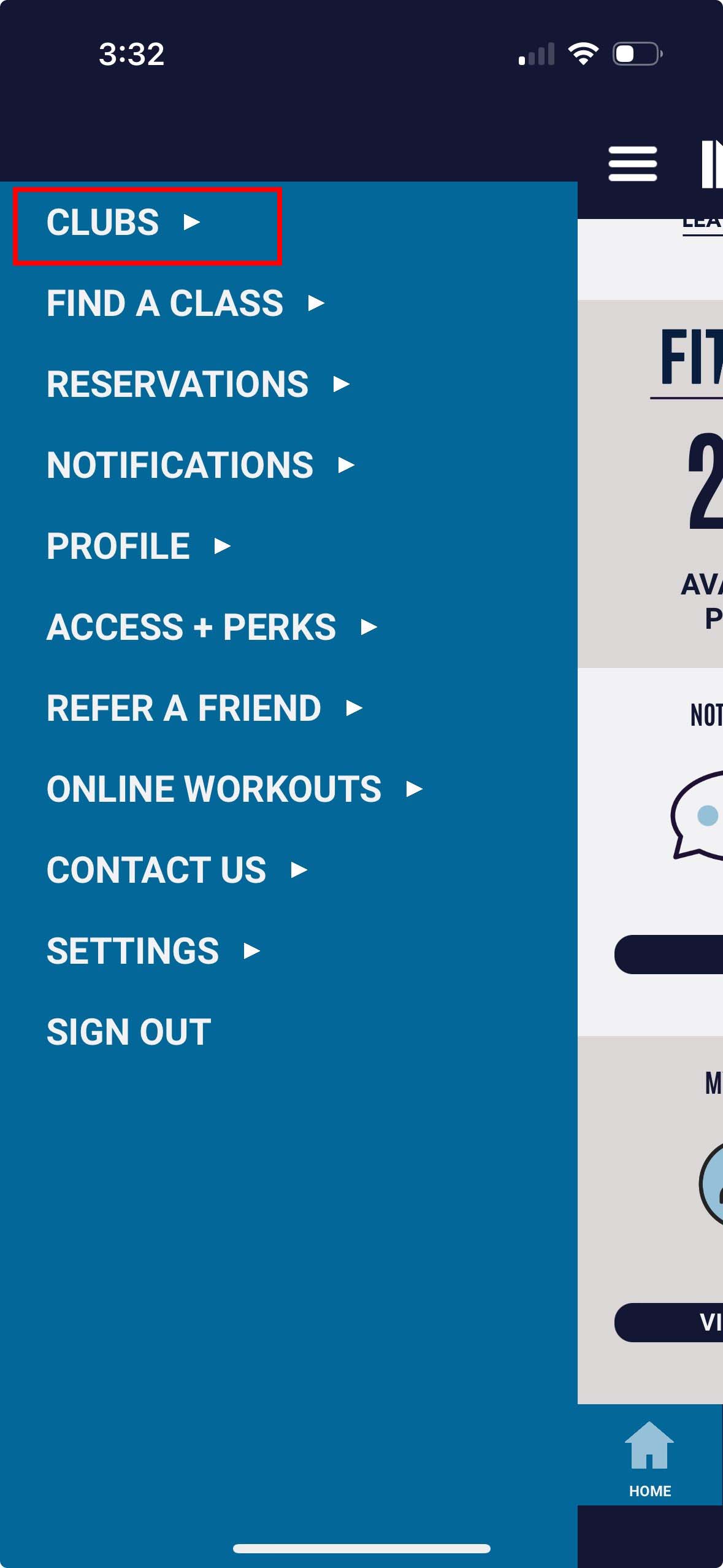
1. Tap menu in top-left and select Clubs |
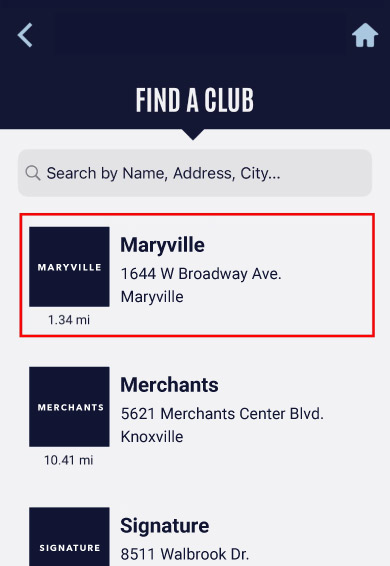
2. Find the Club you'd like to be your favorite, then tap on it. |
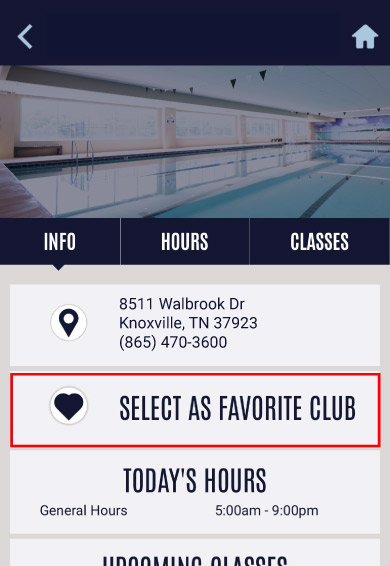
3. Tap Select as Favorite Club |